Learn how to use smile simulation to visualize patient results, boost case acceptance, and close more cosmetic cases from the chair.
Last Updated: October 13, 2026
Smile simulation is a digital technology that shows patients what their smile will look like after cosmetic dental treatment. Using AI and advanced imaging, the software takes a photo of the patient's face and generates a preview in seconds.
This tool transforms how dentists present treatment options. Instead of describing what veneers, whitening, or orthodontics might achieve, you show patients exactly what to expect before they commit.
Why does this matter? Case acceptance rates jump when patients visualize results. They're no longer imagining an outcome based on your description. They're looking at a realistic preview tailored to their own face. That confidence translates directly to more cases booked and higher treatment value.
At SmileViz, we've built smile simulation specifically for chairside use. The technology runs in seconds, fits into your consultation workflow, and closes cases while patients are sitting in your chair. Just instant, AI-powered visualization that gets patients excited about their transformation.
The AI behind smile simulation analyzes facial proportions, tooth structure, and lighting to generate a realistic preview. Here's what happens when you use the software:
Step 1: Upload or capture a photo The patient provides a clear facial image. The software reads the unique geometry of their face, jaw, and current smile.
Step 2: AI analyzes tooth and facial anatomy The algorithm maps tooth position, shape, color, and alignment relative to the patient's facial structure, understanding how changes in one area affect the overall aesthetic.
Step 3: Generate the simulation In seconds, the software renders a preview showing how the proposed treatment will look on that specific patient's face, accounting for their unique proportions and lighting.
Step 4: Adjust and refine You can modify the simulation in real time. Change tooth color, adjust alignment, alter shape. Each adjustment updates the preview instantly so the patient sees exactly what you're planning.
The accuracy depends on the quality of the input photo and the sophistication of the AI model. High-quality images with proper lighting produce more realistic simulations. The software learns from thousands of before-and-after cases to predict outcomes more accurately over time.
This is where smile simulation differs from simple mockups: it's not a generic template, but personalized to the patient's face, proportions, and unique anatomy.
The quality of your smile simulation depends entirely on the photo you start with. A clear, well-lit photo with the patient's face fully visible produces a simulation that matches reality.
Three factors determine whether a photo will work for smile simulation:
Lighting should be bright and even. Natural light works well. Avoid harsh shadows across the face, the patient's teeth and lips need clear visibility. Position the patient near a window or use soft overhead lighting in your operatory, and avoid backlighting, which silhouettes the face and hides detail.
Head position must be neutral and straight. The patient should look directly at the camera, not tilted up or down, a slight tilt throws off the proportions the AI reads. Ask the patient to relax their face and smile naturally, showing the teeth in a relaxed state rather than an exaggerated grin.
Unobstructed face means nothing covers the teeth, lips, or lower face. Hair should be pulled back, hands away from the mouth, and glasses removed. The software needs to see the entire smile, from the corners of the mouth to the edges of the teeth. Any obstruction forces the AI to guess, which reduces accuracy.
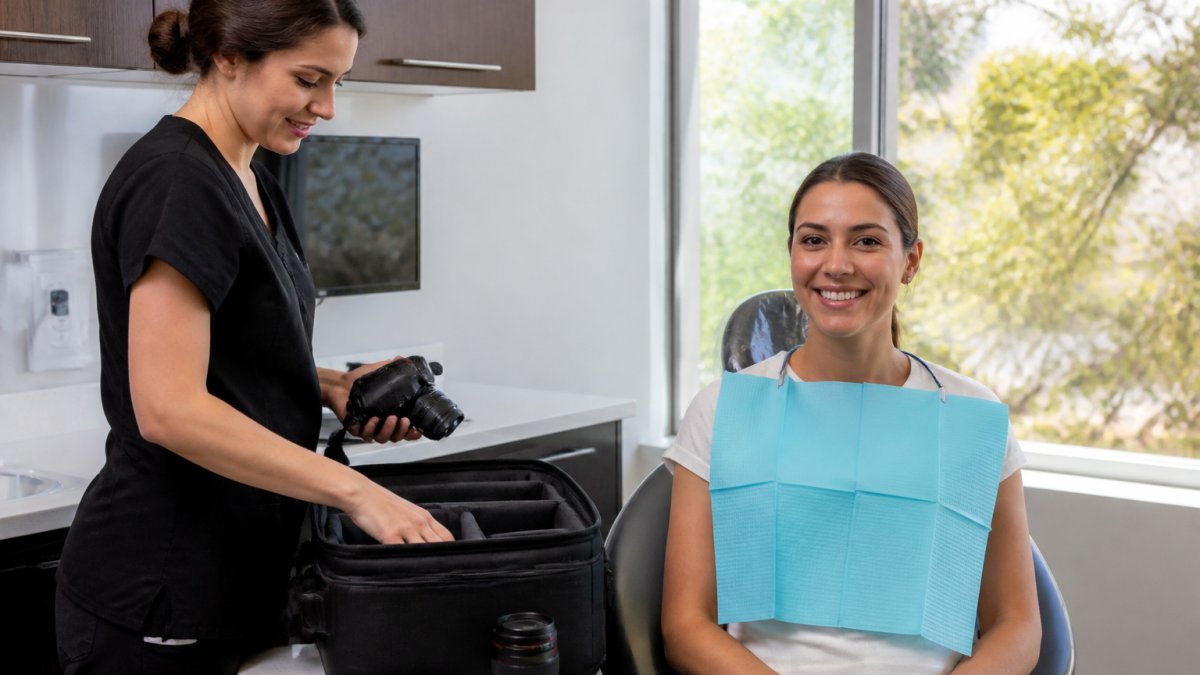
You have two options: take a photo in your office or ask the patient to upload one they've already taken.
Taking a photo in your office is faster and more reliable because you control the lighting, head position, and framing. Use your phone camera or the built-in camera in the smile simulation software if available. Ask the patient to sit upright, relax their face, and smile naturally.
Uploading an existing photo works if the patient has a clear, well-lit image, many patients have selfies on their phone that work perfectly. Ask them to choose a photo where they're smiling naturally, the lighting is bright, and their face is straight-on. Avoid angles, dim lighting, or a tilted head.
Either way, the software will analyze the image. If the photo is too blurry, too dark, or obstructed, it will flag it and ask for a better one. Don't force a poor photo through the system, a second attempt with better lighting takes 30 seconds and produces vastly better results.
Once the photo is uploaded, the software shows the patient's current smile alongside a default simulation. Your job is to customize that simulation to match your treatment plan.
Most smile simulation platforms let you adjust several parameters in real time:
Each adjustment updates the preview instantly. The patient watches their smile transform as you make changes. This real-time feedback is powerful. Patients see exactly what you're planning, and you can fine-tune the design based on their reaction.
The goal is a simulation that excites the patient and aligns with your clinical plan. Don't oversell, the simulation should be realistic, not fantasy. Promising too much sets you up for disappointment when the actual results don't match.
Save the finalized simulation. You'll reference it during treatment planning and again when discussing cost and timeline.
Different cosmetic treatments require different simulation approaches. Understanding how to use smile simulation for each treatment type maximizes its value.
Veneers are where smile simulation shines. The software shows the exact shape, color, and position of new veneers on the patient's teeth.
Teeth whitening is straightforward. Adjust the color slider to show the lightened shade. Many patients are surprised how much whiter their teeth can become.
Orthodontic treatment with clear aligners or braces benefits from smile simulation.
Dental bonding for chipped or misshapen teeth can be previewed by adjusting tooth shape and size. Show the patient how bonding will restore their smile without the cost or commitment of veneers.
Gum contouring to reduce a gummy smile can be shown by adjusting the gum line in the simulation. The patient sees how less gum exposure changes their smile's appearance.
The key is matching the simulation to your actual treatment plan. Don't oversimplify. If you're planning veneers with a specific shape and shade, make the simulation match that plan.
Smile simulation is powerful, but it has real limits. Understanding those limits protects you and sets appropriate patient expectations.
What smile simulation can predict: The software accurately shows tooth color, shape, position, and size changes. If you're planning veneers with a specific shade and shape, the simulation will closely match the final result. Whitening simulations are reliable.
The simulation also assumes ideal lighting. In real life, the patient's smile looks different depending on the room, time of day, and natural versus artificial light.
Setting expectations: Show the patient the simulation and explain what it does and doesn't show. Say something like: "This simulation shows what your smile will look like with the treatment we're planning.
This honest framing prevents disappointment. The patient understands the simulation is a preview, not a guarantee. They know the final result will be close but not pixel-perfect.
Document the simulation in the patient's chart. If the patient later questions whether the result matches the preview, you have a record of what was shown and discussed.
Smile simulation is most effective when used strategically during the consultation. Timing and presentation matter.
Start with the problem. Ask the patient what they'd like to change about their smile, listen to their concerns, and show them their current smile in the software as the baseline.
Show the solution. Now show the simulation with your proposed treatment. Watch their reaction. Most patients light up when they see their transformed smile.
Discuss the plan. Walk through the simulation and explain what treatment is required to achieve that result, the steps, timeline, and cost.
Address concerns. Answer questions about the simulation directly, explain what the software can and cannot predict, and be honest about limitations.
Get buy-in. Before you finish the consultation, confirm the patient is excited about the simulated result and ready to move forward.
Save and share. Keep the simulation in the patient's digital chart.
Many dentists use smile simulation to start conversations in the waiting room.
When you ask a patient for a photo, you're collecting sensitive personal data. The photo is their face. The simulation shows their potential future appearance. Both require careful handling.
Patient consent is essential.
Data storage matters. The software should encrypt patient photos and store them securely. Ask the smile simulation vendor about their security practices.
HIPAA compliance is required if you're in the United States. Patient photos are protected health information. Any software you use must comply with HIPAA.
Patient privacy extends beyond data security. Don't share a patient's simulation on social media or use their photo in marketing without explicit permission and a signed release.
Some practices ask patients to sign a release allowing use of their before-and-after photos in marketing.
Document everything. Keep consent forms and releases in the patient's chart. If a patient later questions how their photo was used, you have proof that you asked permission.
Smile simulation transforms how you present cosmetic treatment. It bridges the gap between what patients imagine and what you can actually deliver.
SmileViz is built specifically for this workflow. With real-time customization and HIPAA-compliant storage, SmileViz gives you a tool that closes more cosmetic cases while keeping patient data secure. Book a demo to see how smile simulation can transform your practice.
Smile simulation provides a realistic preview of potential outcomes when the AI model is trained on quality photo input and the dentist designs the simulation based on the patient's anatomy. However, simulations cannot account for all biological variables, gum contours may shift, tooth shade can vary slightly depending on material and lighting, and bite relationships may influence final appearance. Use simulations as a visualization tool, not a guarantee. The best practice is to present the simulation as a starting point for discussion, then refine expectations during the treatment planning phase based on clinical examination and the patient's specific anatomy.
Discrepancies between simulation and outcome typically stem from unrealistic initial expectations, changes in gum health during treatment, or material limitations the simulation didn't fully predict. To minimize liability, document the simulation in the patient record, discuss its limitations before treatment, and use it as a collaborative design tool rather than a binding promise. Include language in your consent forms that acknowledges the simulation's role as a visualization aid. This protects both you and the patient by setting transparent expectations from the start.
Smile simulation works best for treatments that visibly change tooth appearance: veneers, bonding, whitening, orthodontics, and clear aligners. It's less effective for treatments focused on internal structure or bite correction alone. For complex cases involving gum contouring, bone grafting, or combined esthetic and functional work, the simulation should be one tool among several, use it to show the tooth component, but supplement it with clinical photos, models, and detailed discussion of the full treatment scope.
A basic smile simulation typically takes 30 seconds to 2 minutes once the patient's photo is uploaded and the AI processes the image. Refining the design, adjusting tooth shape, color, alignment, or gum line, adds a few additional minutes. For chairside use, the entire process should fit within a 5-10 minute consultation window, allowing you to show the patient multiple design options without disrupting your schedule. Training your team on efficient photo capture and software navigation minimizes this time further.
Show patients their future smile in about 90 seconds and close more cosmetic cases chairside.
Book a free demo
AI smile previews that help patients say yes, before, during, and after the consult.