Looking for a SmileFy alternative? Compare 7 smile design platforms on cost, workflow fit, and case acceptance for private dental practices.
Last Updated: November 7, 2026
Quick Summary
SmileViz is a SmileFy alternative built for chairside consultations rather than the design bench, showing AI-powered simulations in seconds so you can close cases while the patient is still seated. It carries a lower training burden than full design suites, though it is not a substitute for a lab design package on complex full-mouth cases.
Still weighing SmileFy against other options?See how SmileViz turns patient photos into a chairside smile simulation in seconds.Book a SmileViz Demo
Private practices look for a SmileFy alternative because the tool's cost and design-first workflow do not always fit a chairside consultation model.
An independent practice running three or four cosmetic cases a month often needs a fast, visual conversation starter that can run while the patient is still in the chair.
Below, we compare options on clinical accuracy, workflow fit, and true cost, so you can match the tool to your case mix.
Dental software for smile design should be judged on three things: whether the simulation matches what the lab can deliver, whether it fits your existing clinical workflow, and whether patient data is handled properly. Everything else is a feature list.
Accuracy is the whole game. Almohareb in 2026 was designed to compare expert clinician designs in Exocad against AI-generated designs, which tells you the field is now testing AI output against trained eyes rather than assuming it works (comparison of AI and expert digital smile design).
What most guides miss is the oversight question. For a deeper look at why dental simulations miss accuracy targets and what to check, the technical and clinical factors are worth reviewing.
Workflow fit decides whether a tool gets used. If simulation lives in a separate program that requires exporting and re-uploading patient photos, it will quietly stop happening after the first busy week. The best setup runs inside the consultation, on the same device, with intraoral scans and photos already in front of you.
Privacy deserves equal weight. Our guide to HIPAA compliant smile simulation software walks through the exact questions to put in writing before you upload a single patient photo.
A subscription cost depends on seats, modules, and how much design work you run. Confirm current plans and quotes directly with the vendor.
A smile-design subscription is rarely one line. Expect the quote to separate into these buckets:
Do not compare headline subscription prices. Compare cost per accepted case. A practice running four cosmetic cases a month needs the tool that pays for itself in one additional case acceptance, not the cheapest subscription. Build a worksheet: annual subscription plus onboarding plus hardware plus estimated training hours, divided by the cosmetic cases you expect to present in a year.
Ask three questions before you sign:
If your bottleneck is the consultation rather than the design bench, the cost comparison changes shape. A full design suite buys detailed design work; a chairside simulator buys speed in front of the patient. For practices that mainly need a fast visual conversation starter, the lower training burden and shorter workflow often reduce the hidden cost that never shows up on a quote.
SmileViz is an AI-powered dental smile simulation platform built for the chairside consultation rather than the design bench. A simulation the patient sees while still seated in the chair changes the conversation from "think about it" to "when can we start." When a chairside simulation turns hesitation into a decision, a smile design review can help frame the value of that decision in terms patients can weigh.
For a practice weighing a SmileFy alternative, SmileViz is designed for chairside use and immediate case closing, and it helps turn website traffic into booked consults.
Pros:
Cons:
Best for: independent practices that want to convert interest into accepted treatment during the consultation. Skip if: you need a dedicated design workstation for lab-facing restorative work.
You can see the chairside workflow on the chairside simulator page.
Free is the wrong filter. The right question is cost per accepted case: a practice running four cosmetic cases a month needs the tool that pays for itself in one additional case acceptance, not the cheapest subscription.
Practical guidance: test any tool on your own patients, not on demo images, and compare acceptance against your current baseline.
An AI veneers simulator changes the consultation by moving the visual proof earlier. Instead of describing a shade, a shape, and a proportion in words, the clinician shows the patient a photorealistic preview while they are still deciding.
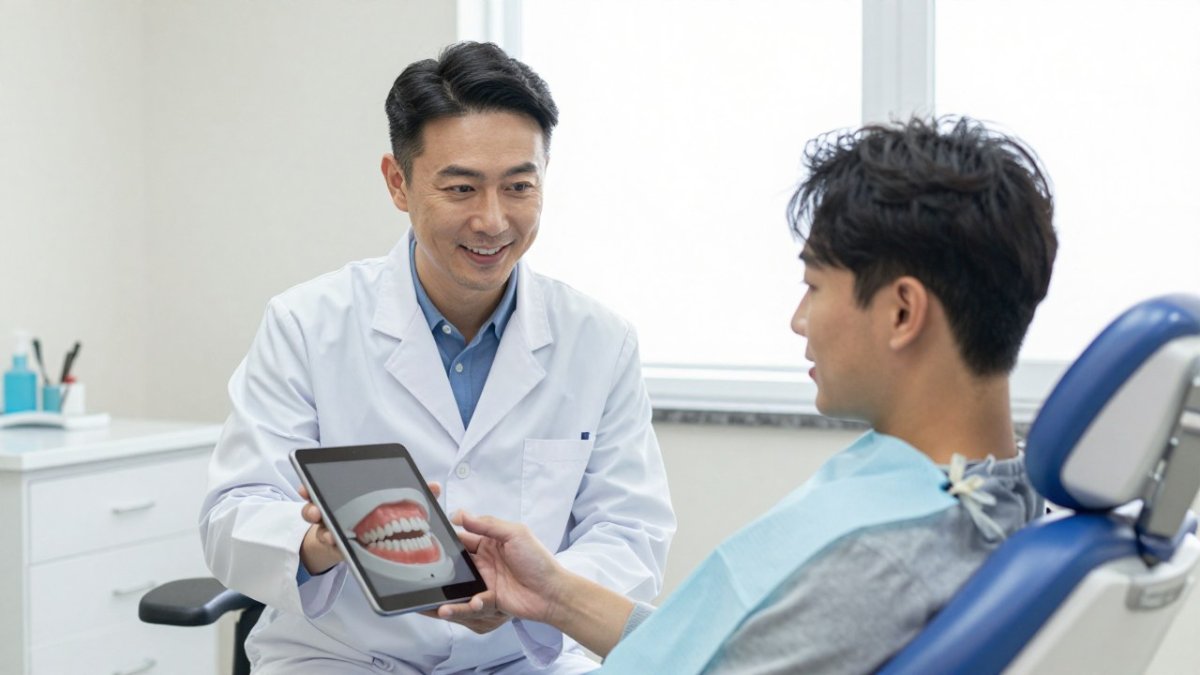
The effect on patient understanding is direct.
The clinical caveat matters here. An AI veneers simulator is a communication tool, not a guarantee. Final results depend on enamel thickness, prep design, and the dental laboratory's execution.
Practice size and case mix should decide the shortlist, not the feature list. A solo cosmetic practice and a multi-location group have different bottlenecks, and the tool that fits one can quietly fail in the other. Use the profiles below to narrow the field, then test the shortlist against your own imaging devices and practice-management system.
Case mix matters as much as headcount. A practice presenting mostly single-tooth veneer cases needs a fast before-and-after; one doing full-mouth reconstruction needs design depth and lab collaboration. Cosmetic-focused practices value patient-facing visualization and treatment-plan communication, while restorative and prosthodontic practices lean on clinical planning, 3D visualization, and multi-option treatment plans. Be honest about which category most of your revenue falls into, because a tool optimized for the other category will feel like overhead.
Ask vendors directly about:
Smile simulation involves identifiable facial images, so privacy weight changes with practice type. A marketing-led practice collecting photos through a website needs clear consent language and a retention policy for web submissions. A multi-provider group needs role-based access controls so images are visible only to the treating team. A lab-heavy practice needs to know whether images leave the practice and under what agreement.
For a solo practice, the deciding factor is whether the tool gets used on a busy Tuesday. For a group, it is whether every provider produces the same quality of case presentation. For a startup, it is whether the simulator converts web visitors into booked consultations. Run five real consultations through any shortlisted tool and compare acceptance against your baseline. Our breakdown of the best dental AI simulation software puts the leading tools side by side on speed, accuracy, and chairside fit.
The most useful evaluation uses your own cases. Before you switch from any tool, run a short trial with real photos and real consultations, and measure case acceptance against your current baseline.
Watch out: the most common mistake is choosing on price alone and discovering six months later that the team never adopted the tool. Training time and chairside speed belong in the same calculation as the subscription.
At SmileViz, we built the platform for exactly this test. Start with a demo on your own cases and see what your acceptance rate does.
A SmileFy alternative for private practices should earn its place in the consultation, not just on the invoice.
Focus on four things: how fast a simulation can be produced chairside, whether the design stays under clinician control, how the tool fits your existing workflow and practice management software, and what the subscription actually includes. Ask for a live demo on one of your own cases rather than a canned example. Practices with three or four cosmetic cases a month should also check whether the plan scales down to their volume instead of pricing them for a high-volume group.
Free tiers exist, but they usually limit exports, watermark previews, or restrict the number of cases per month. Before relying on any free or trial plan for treatment-plan communication, confirm what happens to patient photos and intraoral scans, and whether designs can be exported for lab collaboration.
No. AI-generated designs speed up the first draft of a smile visualization, but clinician oversight still decides what is clinically appropriate. Treat the simulation as a conversation starter, then confirm tooth proportions, occlusion, and material choice yourself before quoting treatment.
It moves the conversation from abstract descriptions to a visual preview the patient can react to in the chair. It gives you a visual reference for discussing treatment options. Pair the simulation with a clear explanation of limitations so patients understand the preview is a planning aid, not a guarantee. Documenting that conversation protects you if a patient later compares the simulation to the final result.
Show patients their future smile in about 90 seconds and close more cosmetic cases chairside.
Book a free demo
AI smile previews that help patients say yes, before, during, and after the consult.
 Add smileviz.com as a preferred source on Google →