Compare the fastest chairside smile design tools for cosmetic dentistry. Boost case acceptance with AI-powered simulation. Find the right tool.
Last Updated: September 30, 2026
Fast chairside smile design tools generate realistic smile simulations from a single patient photo, allowing you to show treatment results before the patient leaves the chair, turning consultations into immediate case closures.
Capture a patient photo, run it through AI analysis, and display a photorealistic rendering in seconds. Speed eliminates friction between interest and commitment, patients who see their transformation during consultation are far more likely to book treatment.
These tools integrate with intraoral scanners, support 3D treatment planning, and generate files for lab communication. Some include patient communication features to reinforce case acceptance after consultation.
AI dental smile simulation analyzes facial proportions, tooth position, and aesthetic principles to predict restoration appearance. The algorithm evaluates symmetry, shade, shape, and alignment in milliseconds, rendering a photorealistic preview.
DTS PRO:Digital Smile Designing Software
The case acceptance impact operates through three distinct mechanisms that traditional consultations without simulation cannot replicate.
Without simulation, patients leave with an abstract promise and must imagine the outcome. Many hesitate, compare against other practices, and delay decisions by weeks or months.
With simulation, patients see their specific transformation during consultation, creating emotional connection in your chair where you control the narrative and address concerns in real time.
When patients approve a simulation before treatment, post-treatment complaints about shade, shape, or alignment drop significantly, they're not surprised by the result.
Patients who see simulations accept treatment plans without requesting modifications and request fewer post-delivery adjustments. Practices report significantly fewer revision appointments for simulation-approved cases.
Simulation shifts your role from explainer to guide. Instead of describing treatment and showing examples, you refine the design based on patient feedback. Patients become active participants in design, not passive listeners.
Practitioners using these tools report higher same-day booking rates and fewer post-treatment revision requests, with consultation time offset by reduced revisions and higher case acceptance.
For a practice seeing 20 cosmetic consultations monthly, a 30-point improvement in acceptance rate means 6 additional cases per month, 72 annually.
Before-and-after photos are valuable but require patients to imagine results on their own face. Simulation removes this gap by showing the patient's specific outcome, not someone else's result, making it more persuasive than gallery examples alone.
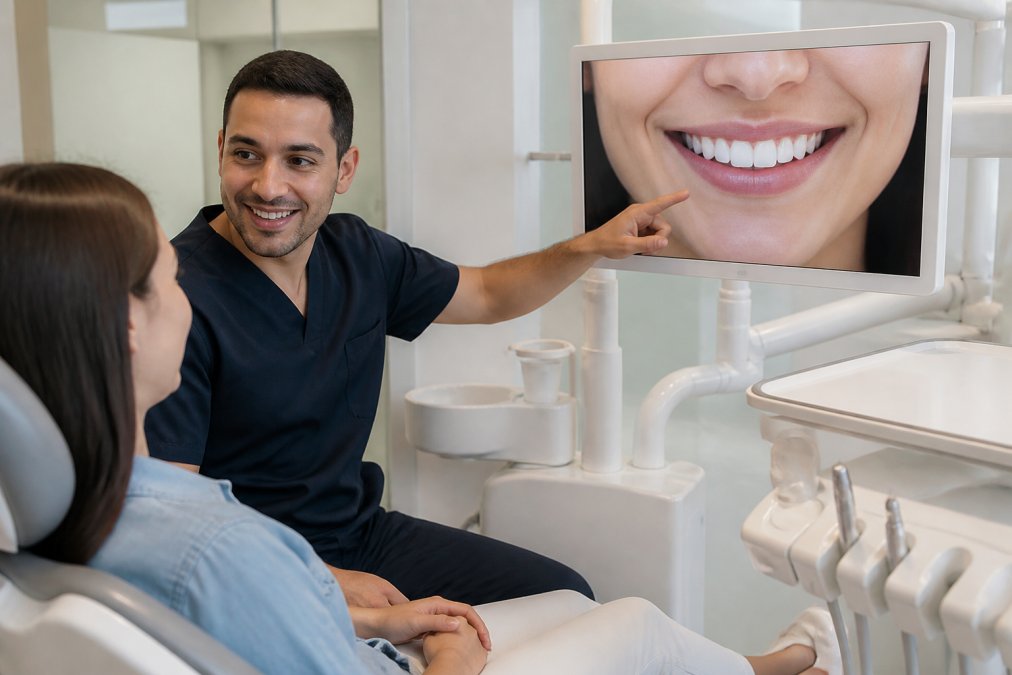
The market for chairside smile design tools has expanded rapidly. Each platform approaches speed and accuracy differently, and the best choice depends on your workflow, hardware ecosystem, and case volume. Here's what separates the leading options.
SmileViz delivers AI-powered simulation in seconds with minimal clicks. It prioritizes patient communication, integrating with existing workflows without hardware changes. For practices focused on cosmetic case volume and acceptance rates, this is a powerful choice.
DSD App represents the gold standard for facially driven smile design, with a free entry-level version. It standardizes consultation approach and supports lab collaboration, but requires more steps than simplified tools due to thorough facial analysis. Best for practices building repeatable cosmetic processes.
Planmeca Romexis Smile Design integrates seamlessly within the Romexis ecosystem, reducing friction during consultations. However, it's most practical for practices already using Planmeca imaging; other scanning systems lose the integration benefit.
Medit Smile Design App is free with Medit scanners and prioritizes speed with minimal steps and training. However, it only works for Medit users; other scanning systems cannot use it.
DTS focuses on quick, natural-looking designs for first consultations. Preteeth AI Pro emphasizes AI-driven automation, reducing skill required for good simulations. Both trade advanced 3D planning for chairside speed; if you need detailed lab communication or complex planning, use additional software.
Chairside smile design tools and comprehensive dental treatment planning software serve different purposes, though some platforms blur the line. Understanding the distinction helps you choose the right tool for your workflow.
Chairside smile design tools prioritize speed and patient communication.
Showing a smile simulation is only the first step in case acceptance. The strategy around how you present it matters significantly.
Adopting a chairside smile design tool requires verification of three critical factors before purchase: hardware compatibility, training time investment, and workflow integration points. Skipping this step often leads to purchasing software incompatible with existing scanners or practice management systems.
Most chairside tools work with standard patient photos, but integration with intraoral scanners, where the real speed advantage emerges, depends on specific hardware compatibility. Before purchasing, verify your scanner model against the tool's supported devices.
Common scanner compatibility patterns:
Training investment directly affects adoption speed. A tool your team avoids using because it's confusing delivers no ROI.
Typical onboarding timelines:
Where the tool fits into your existing consultation process determines whether it becomes routine or remains a novelty.
Optimal integration requires:
Photo capture workflow: Does the tool accept photos from your existing camera setup, or do you need a dedicated imaging device? SmileViz works with smartphone photos. This affects how quickly you can generate a simulation during consultation.
Patient record attachment: Can simulation images be automatically saved to patient records in your practice management system? If not, you'll manually export and file images, creating friction. SmileViz integrates with some PMS platforms. This affects whether the simulation becomes part of your permanent treatment documentation.
Lab communication: Does the tool export files in formats your lab accepts? SmileViz generates standard image files. Confirm your lab's preferred format before purchasing.
Chairside presentation: Where will you display the simulation to the patient? On a monitor, tablet, or chair-mounted screen? Some tools are optimized for large displays; others work better on tablets. SmileViz is display-agnostic.
Implementation checklist before purchase:
AI-powered smile simulation lets patients see their future smile during the initial consultation, turning an abstract discussion into a visual reality. This immediate visualization bridges the gap between patient expectation and clinical outcome, making patients more confident in committing to treatment. Patients who see realistic simulations accept cosmetic cases at higher rates because they understand exactly what they're paying for and can visualize the aesthetic improvement before treatment begins.
Fast chairside smile design tools are optimized for real-time patient interaction during consultations, delivering simulations in seconds using AI automation. Traditional dental treatment planning software focuses on detailed clinical design, restorative planning, and lab communication, often requiring more time and technical expertise. Chairside tools prioritize speed and patient communication; treatment planning software prioritizes precision and clinical documentation. Many practices use both: chairside tools to close cases, then planning software for detailed design once the patient commits.
Most modern chairside smile design tools are designed for rapid adoption. Basic operation typically takes 30 minutes to 2 hours of hands-on training. AI-powered tools like SmileViz require minimal manual adjustment because the software handles the aesthetic calculations automatically. However, learning to use simulations effectively in patient conversations, positioning the monitor, explaining the design, addressing concerns, takes practice.
Most chairside smile design tools require a computer or tablet with internet connectivity and a camera or phone to capture patient photos. Some tools integrate directly with intraoral scanners or imaging hardware, while others work as standalone software on any standard practice computer. Before selecting a tool, verify compatibility with your existing practice management software, imaging equipment, and display setup. Many practices use a chair-mounted monitor or iPad for patient viewing, which requires a mount but no additional software.
Chairside smile design tools close cosmetic cases faster and boost acceptance rates when implemented thoughtfully. SmileViz is purpose-built for this exact workflow, fast AI simulation, immediate case closing, and seamless integration into your consultation process. The platform turns patient interest into treatment commitment directly from your chair. Book a demo with SmileViz and see how real-time smile simulation transforms your cosmetic case acceptance.
Show patients their future smile in about 90 seconds and close more cosmetic cases chairside.
Book a free demo
AI smile previews that help patients say yes, before, during, and after the consult.